Spot every tiny detail on Instagram

Click the little puppy next to Save and any photo or video opens full-window. Zoom up to 20×, look around, and see what you were missing.

Free · No account · No tracking · Coming soon to the Chrome Web Store and Edge Add-ons

Everything you need to look closer

Zoomie adds a full-window viewer to Instagram on the web. It works with what you already see and doesn't change anything else.

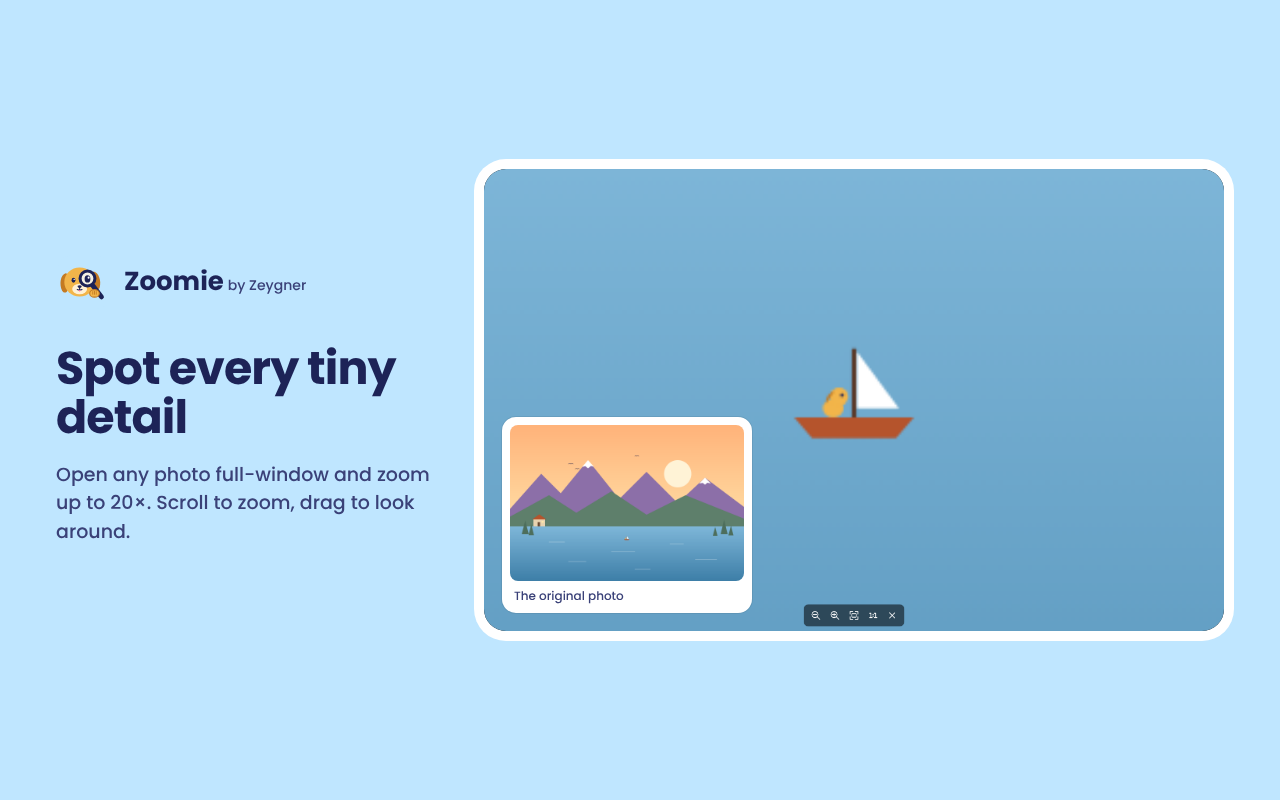
Zoom up to 20×

Scroll to zoom right where your pointer is, drag to look around, double-click to fit again.

Videos at your speed

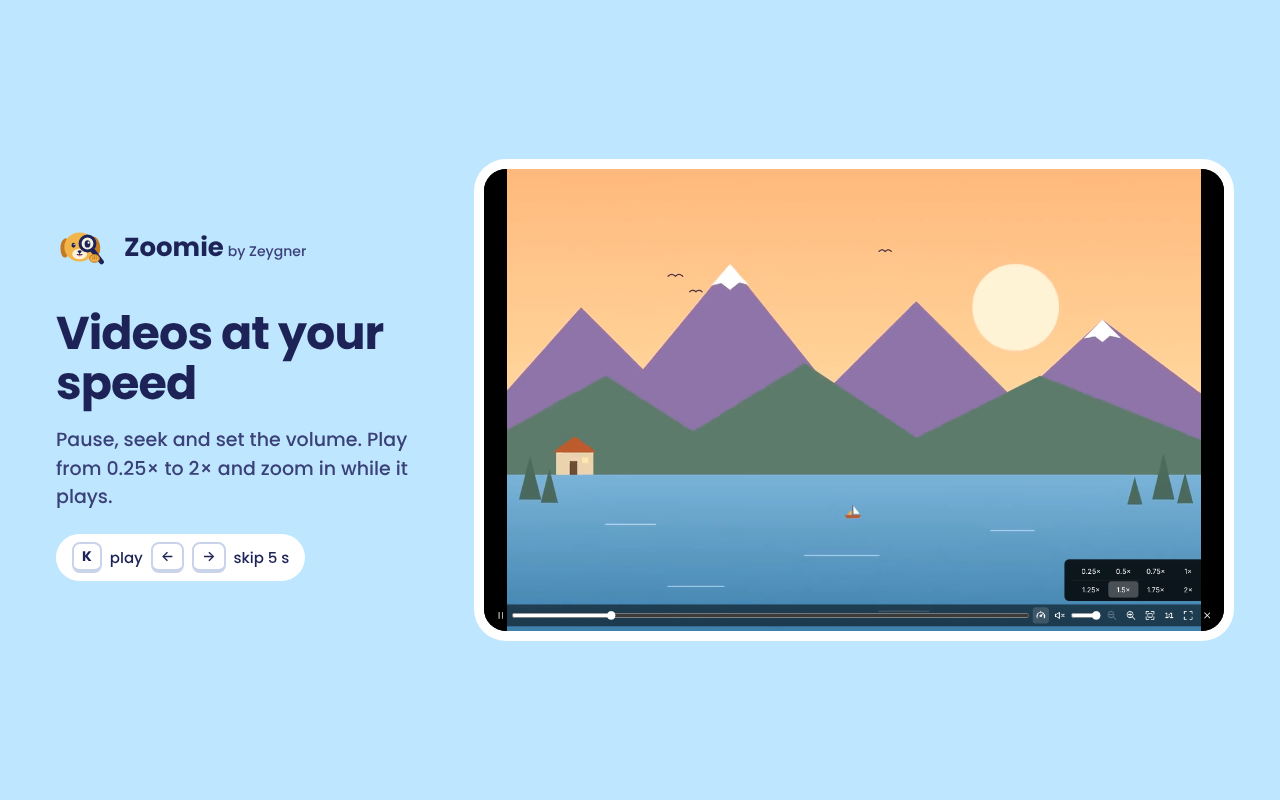
Pause, seek and set the volume. Play from 0.25× to 2×, and zoom in while the video plays.

Works everywhere

Feed, posts, carousels, Reels, Stories, profiles and your Saved posts. Arrows move through carousels without closing.

Private by design

No account, no ads, no tracking. Nothing is collected or sent anywhere; it all happens in your browser.

See it in action

The Zoomie viewer zoomed into a lake photo, showing a tiny puppy in a sailboat that is barely visible in the original.
Zoom into the tiniest details: the original photo is in the corner.
A video playing in the Zoomie viewer with the playback speed menu open and 1.5× selected.
Videos with a seek bar, volume and playback speed.
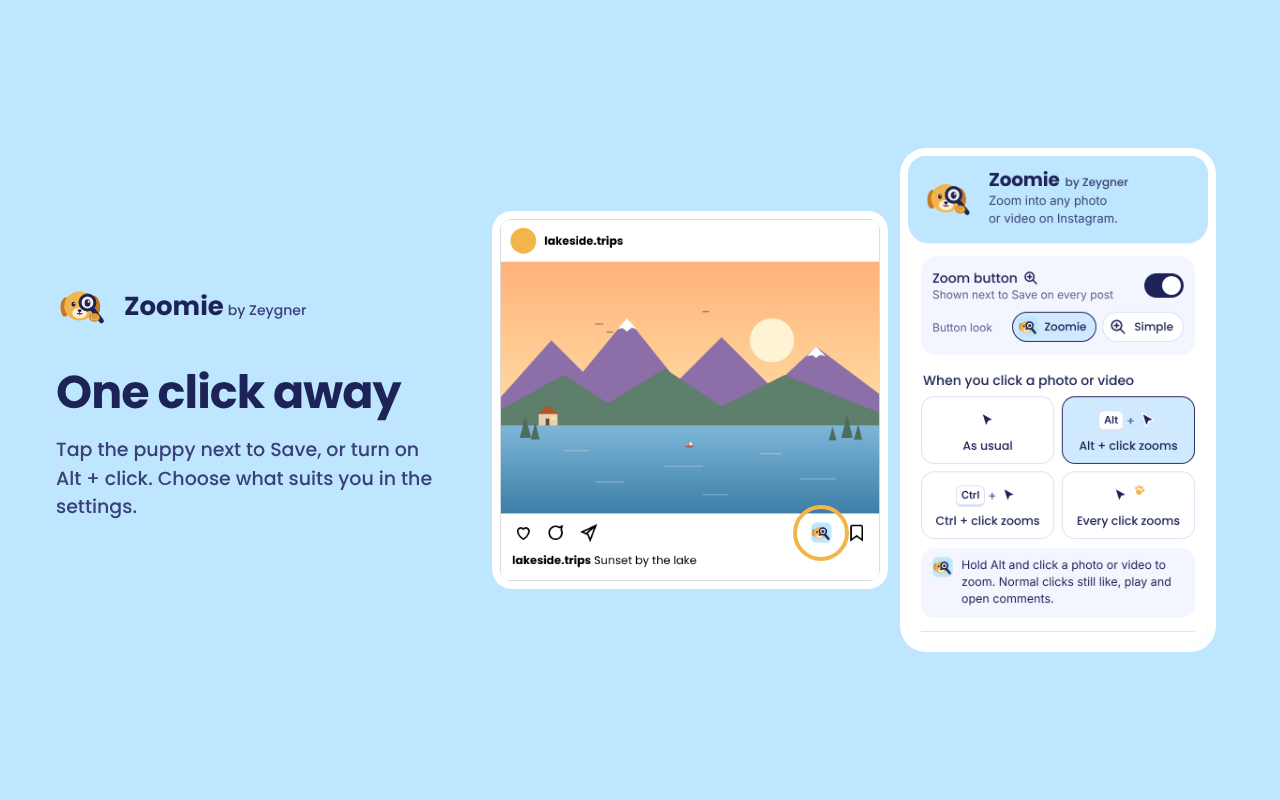
An Instagram-style post with the Zoomie puppy button next to Save, beside the Zoomie settings popup.
The puppy button sits next to Save. Pick how you like to open the viewer in the settings.

How it works

  1. Add Zoomie

    Install it from the Chrome Web Store or Edge Add-ons. It's free.

  2. Click the puppy

    Open instagram.com and click the puppy next to Save on any post, or use Alt + click if you turn it on.

  3. Zoom and explore

    Scroll to zoom, drag to look around, use the arrows for the next slide. Press Esc to close.

Keyboard shortcuts

For when your hands are already on the keyboard.

KeysPhotoVideo
+ −Zoom in / outZoom in / out
← →Previous / nextSkip 5 seconds
Shift + ← →–Previous / next
Space or K–Play / pause
M · F–Mute · Fullscreen
EscCloseClose

Zoomie doesn't watch you

It has no servers, no analytics and no ads. Your settings stay in your browser. That's the whole story, and the privacy policy says the same in more words.

Questions

Is Zoomie free?

Yes, completely free, with no ads and no account.

I don't see the puppy button. What now?

Refresh Instagram once after installing. The button appears next to Save on posts, on the Reels rail and in the Stories header. Zoomie recognises Instagram's buttons in English, German and French; other Instagram languages may not show it yet.

Can I open the viewer without the button?

Yes. In Zoomie's settings (click its icon in your browser's toolbar) choose Alt + click, Ctrl + click or a single click. With single click, hold Shift to use Instagram as usual.

Does it make photos sharper?

Zoomie shows the largest version Instagram provides and lets you get close to it. It can't add detail that isn't in the original.

Does it work on my phone?

Zoomie is a desktop browser extension for Chrome and Edge. It doesn't run inside the Instagram app.

I found a bug or have an idea.

Lovely! Send an email or open an issue on GitHub. A screenshot helps a lot.